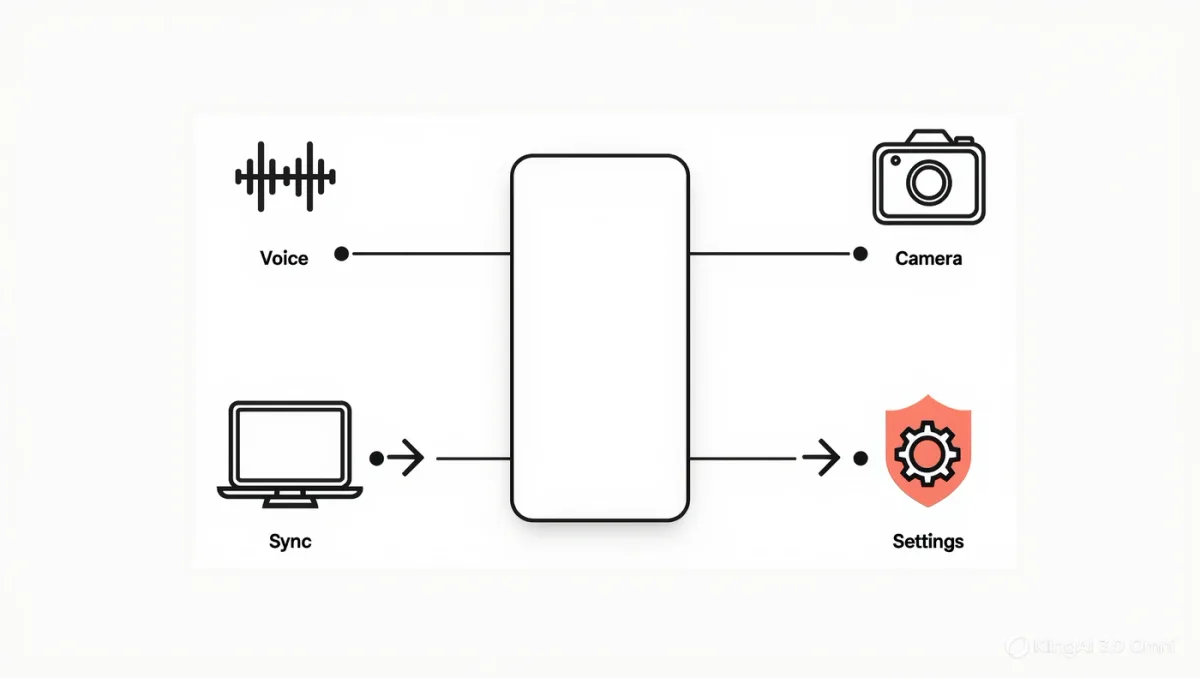
The Claude mobile app's documented additions over the website are voice dictation for prompts, camera and photo input for visual questions, and account-synced access to the same chats, Projects, and artifacts you have on desktop, per Anthropic's own product and help-center documentation — which makes it less a separate product than the same assistant in the context where questions actually occur. Two decisions deserve attention before heavy use: the data-retention and training settings tied to your account tier, and the plan limits that shape how the app behaves at the end of a busy day. Neither is complicated; both are easy to skip and annoying to retrofit.
Details below follow Anthropic's published documentation as of late 2025; the app and its features change frequently, so verify current behavior in the app's settings.
What does the app do that the browser doesn't?
Voice input — dictation of prompts rather than the full conversational voice mode of some rivals, per Anthropic's feature documentation — is the phone-native input, useful for long questions typed painfully and spoken quickly. Camera and photo input routes images to Claude's multimodal capabilities: photograph a page, a diagram, an error message, and ask about it. And continuity: conversations started at a desk continue on a phone, including Project conversations with their uploaded knowledge bases, which is the practical argument for the app for anyone who has built Project workflows — the corpus travels with you. Notifications for responses and, where enabled, for features like scheduled or agentic tasks complete the phone-shaped package.
How do plans and limits shape the app?
Per Anthropic's plan documentation, the free tier offers a daily message allowance with caps that tighten at peak times, while paid subscriptions raise limits substantially and add priority access during congestion. The mobile-specific wrinkle is the same one all chatbot apps share: long context — big pasted documents, long Project histories — consumes allowance faster than short prompts, so heavy Project users on free tiers will feel limits sooner on the days they lean hardest. The app itself displays plan and limit states; checking it once teaches you your real usage pattern faster than any external guide.
What are the settings that matter?
Anthropic's consumer privacy documentation describes retention windows for conversations — consumer chats retained for a stated period — and, historically, an opt-out control governing whether consumer conversations are used for model training, with business-tier customers operating under stronger no-training terms instead. Two habits translate those documents into practice: review the data controls in the app's settings after installing, and treat any Project containing client or employer material as a case for verifying your account's terms first. The vendor's published consumer FAQ is the controlling text; summaries like this one age faster than policies change.
| Feature | What docs describe | Check first |
|---|---|---|
| Voice input | Dictated prompts on mobile | Not full voice mode — set expectations |
| Photo/camera input | Image questions via multimodal models | Small text and fine detail can misread |
| Projects sync | Knowledge bases across devices | Plan limits on long context |
| Data controls | Retention period; training opt-out by tier | Settings after install |
When is the Claude app the right pocket tool?
The honest differentiation from rival chatbot apps is not a feature checkbox — all major assistants now offer voice-ish input, image questions, and sync. The cases where this app specifically wins: you already work in Claude on desktop, and mobile is an extension of Projects and history rather than a new relationship; or the underlying models' documented strengths align with what you do on a phone — detailed document questions, long-form drafting and editing, careful reasoning tasks where the assistant's more measured style suits you. Rival apps win on full conversational voice or deeper phone-OS integration, per their own release notes. Pick the assistant whose model you trust with your actual work; the app follows.
What about safety and personality settings?
Anthropic's documentation also covers account-level preferences and its approach to safety standards, which matter on mobile mainly through expectations: Claude is documented as declining certain harmful-task categories and hedging uncertain answers more than some rivals. Users who experience that as friction should know it is designed behavior, per the company's published usage policy, not a bug — and it interacts with phone use in one practical way: terse voice prompts get careful, sometimes cautious answers. Asking complete questions gets better results than the pocket-typing habit of fragments.
What the documentation doesn't settle
Relative quality of Claude's mobile dictation versus rivals' full voice modes, and image-recognition accuracy on dense text, are not benchmarked comparably by any vendor. Independent coverage of assistant apps — technology desks such as Reuters' regularly compare them — is reporting to consult, not a substitute for the five-minute trial that answers the only question that matters: does this assistant handle your actual phone-shaped tasks well.
FAQ
- Is the Claude app free? Yes, with a daily message allowance per Anthropic's plan documentation; paid tiers raise limits and add priority access. Long contexts consume allowance faster.
- Do my Claude conversations train the model? Per Anthropic's consumer documentation, there is an opt-out control for training use of consumer conversations, while business tiers carry stronger terms — check your account's current settings.
- Does the app have voice mode like some rivals? The documented mobile feature is voice input for prompts rather than a full spoken conversation mode; expectations should be set accordingly.