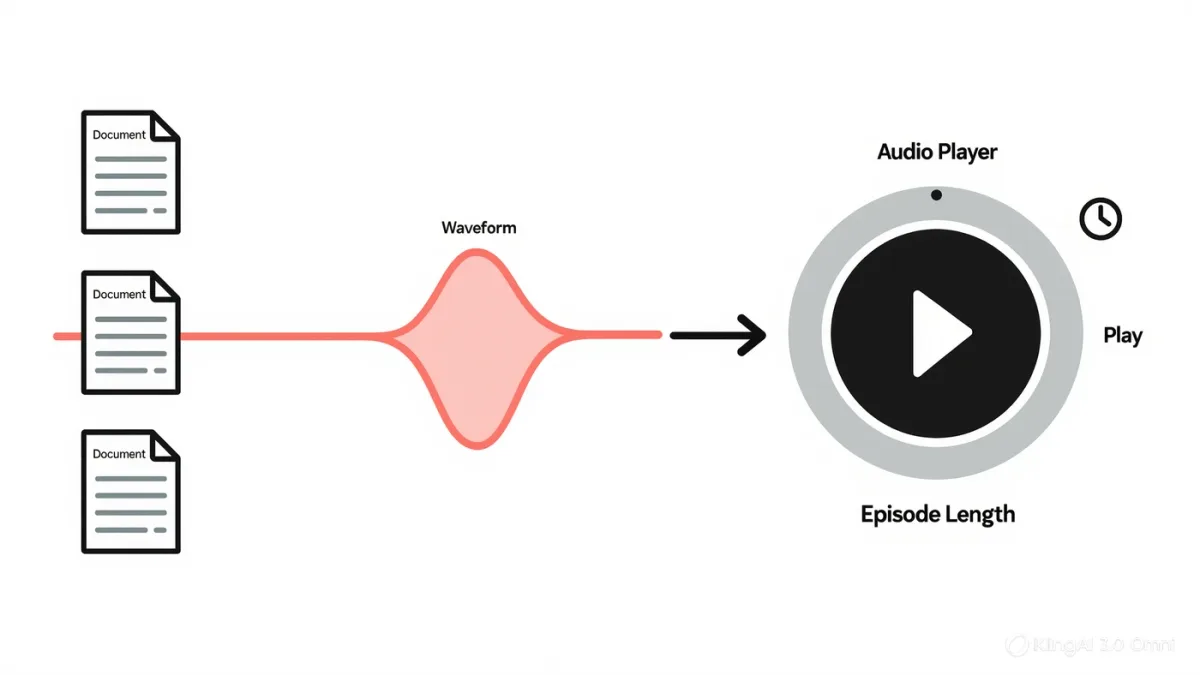
NotebookLM's Audio Overviews feature generates a two-host podcast-style discussion of the documents in your notebook — a spoken, conversational summary you can listen to on the move, per Google's product documentation — and its documented usefulness is threefold: reviewing material during otherwise dead time (commutes, walks), hearing your own writing discussed, which exposes gaps reading hides, and converting dense reference material into something approachable. The limits are equally documented: limited control over style and length, support concentrated in major languages, occasional misreadings of your sources, and interactive follow-up features that arrived only in later updates. It is a review tool wearing a podcast costume, and it works best understood that way.
Details follow Google's published documentation as of early 2026; the feature ships changes frequently, so check the product's own pages for current behavior.
What does the feature actually produce?
From the sources in a notebook, per the documentation: a single audio file of roughly ten to twenty minutes in which two synthesized voices — a genial hosting pair — discuss the material: introducing it, highlighting key points, trading observations, occasionally disagreeing gently. The generation runs server-side after you request it, takes minutes, and lands in the notebook as a playable, downloadable episode. The voices are clearly synthetic when listened to closely — smooth but not human — and Google labels the output as AI-generated, per its published policies on synthetic media. Later updates added the ability to interact — pausing to ask the hosts a question, per release documentation — a shift from recorded summary toward conversation.
What is it genuinely good at?
Three documented use cases where audio beats text. Dead-time review: the twenty minutes of a walk becomes a second pass over the report you read this morning — spacing and re-exposure, the boring core of every evidence-backed learning technique. Revision of your own drafts: hearing two voices discuss your document surfaces what you under-explained and what you repeated, because the hosts must work with only what's on the page. And approachability: a hundred-page technical corpus becomes a listenable orientation before you dive in, lowering the activation energy that keeps documents unread. In all three, the audio is a companion to the source, not a replacement — the documentation itself positions overviews as a way to engage with sources, not a substitute for them.
What are the documented limits?
Control: early versions offered essentially no steering of style, length, or emphasis; later releases added customization — adjusting length and format, focusing a discussion on particular topics, per Google's feature updates — so check the current interface, but expect less control than a prompt-based tool. Language: support began in English and expanded to a documented set of major languages; anything outside that set will disappoint. Accuracy: the discussion is generated from your sources, and while source-grounding keeps it anchored, the conversational format can paraphrase loosely or misread nuances — a number rounded carelessly, a caveat dropped in the breeziness. Coverage: very long or many-source notebooks get selective treatment, since a fifteen-minute episode cannot discuss everything — what gets cut is not documented.
| Use case | Works | Watch out |
|---|---|---|
| Review while walking or commuting | Well | Not a substitute for the source |
| Hear your own draft discussed | Well | Hosts read what's there — gaps included |
| Orientation in dense material | Well | Selective; check what was skipped |
| Precision reference | No | Conversational paraphrase drifts |
What happens to the documents you feed it?
The same terms as the rest of NotebookLM: per Google's privacy documentation for the product, notebook content is not used to train its AI models, though it is processed on Google's infrastructure. Audio generation adds a consideration of its own — the output is a derived artifact of your sources, so material confidential enough not to summarize aloud in public is material to keep out of generated episodes; earbuds or not, an audio file is a thing that can be overheard and shared. And the voices are synthetic: policies around AI-generated media, including disclosure expectations that major newsrooms and platforms have adopted, are the right frame if you plan to republish an overview anywhere — label it as generated.
How does it compare to just asking a chatbot to summarize?
Different output, different niche. A chatbot summary is text: skimmable, precise, citable, referenceable later — better for work product. An audio overview is time-shifted: consumed while doing something else, better for reinforcement and orientation, weaker for lookup and quote. The two-host format does something a flat summary doesn't — framing, emphasis, mild back-and-forth — which is closer to how seminar discussion consolidates understanding than how a brief does. Use the brief when you need the facts; use the episode when you need the material to stick, or the walk to be less empty.
What the documentation doesn't settle
Comprehension effects: no peer-reviewed study yet demonstrates that AI-generated audio discussions improve learning outcomes — the practice sits on well-documented general learning research about spaced review and dual exposure, not on studies of the feature itself. Selection behavior — which points make the episode and which don't — is undocumented and worth a spot-check against your sources when the overview is for anything consequential. Treat the episodes as useful, labeled, generated aids: pleasant, sometimes revelatory, always one step removed from the document.
FAQ
- Can I control the podcast's style or length? Later releases added customization — length, format, and topic focus, per Google's updates — but steering remains limited compared with prompting a chatbot directly; check the current interface.
- Are the voices real people? No — clearly synthetic voices, generated per the product's own labeling as AI output. If you republish an overview, label it as generated.
- Does it work in my language? Support began in English and expanded to a documented set of major languages; anything outside that set is a poor fit today.