
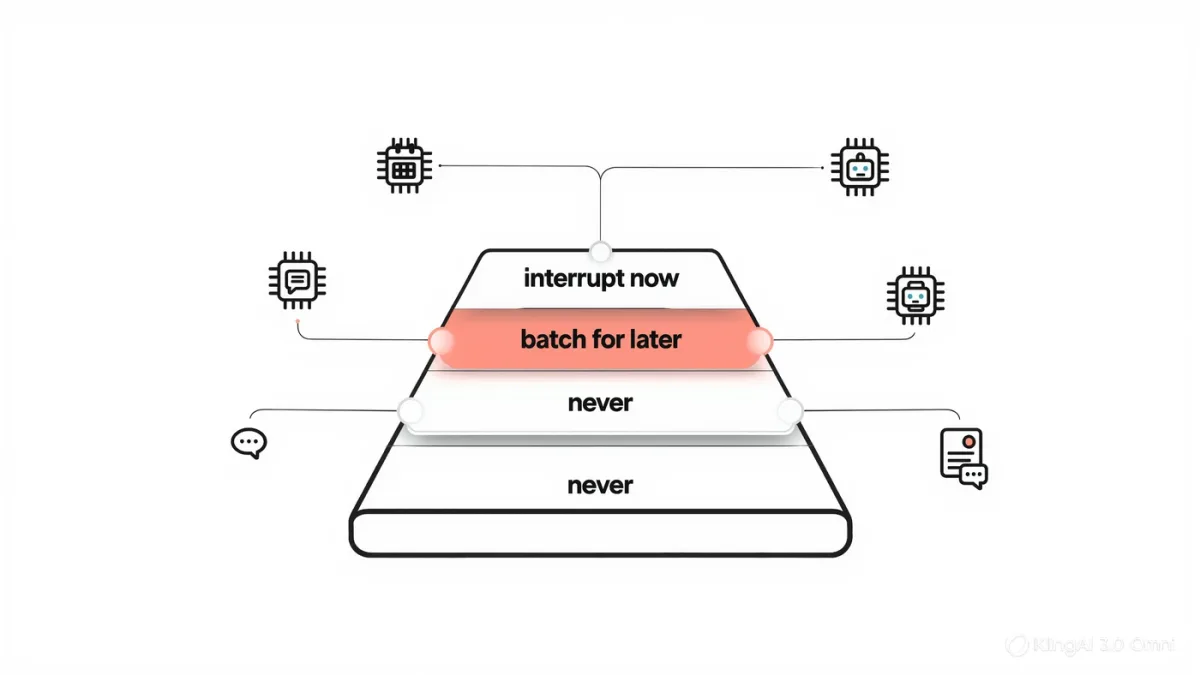
Operating-system focus modes — Do Not Disturb, iOS Focus, Android's work profiles and focus modes — are documented to silence notifications by schedule and by app, but they only govern the interruptions that arrive as notifications, while the newer leaks are invited: AI task agents that finish work and ping you, assistants that complete scheduled briefs, chat threads that are one tap from any screen. A settings audit that actually sticks therefore has two halves — configure the OS layer, then decide which AI channels have earned interruption rights at all — and skipping the second half is why people with perfectly tuned focus modes still feel fragmented.
Feature behavior below is as documented by Apple and Google for their operating systems as of early 2026; notification research is cited from the published literature.
What does the research say about interruptions?
Two well-replicated findings frame the problem. Task-switching carries a measurable cost — attention does not teleport between contexts, a finding documented across decades of cognitive-psychology work and popularized by Gloria Mark's research at UC Irvine, which measured how long it takes knowledge workers to return to an interrupted task: on the order of twenty-plus minutes, not seconds. And notification-driven checking becomes self-sustaining — each alert trains a checking habit that fires without the alert, a pattern documented in smartphone-use research. Together they explain the paradox of the perfectly silenced phone and the fragmented afternoon: the interruptions that hurt most are the ones you now perform unprompted.
What does the OS layer actually control?
Per Apple's and Google's feature documentation: scheduled silencing (focus modes active at set times), per-app rules (which apps may break through), contact exceptions, and home-screen or app restrictions during focus windows. Two documented limitations matter. Focus modes suppress delivery, not the habit — badges and queues await you at the boundary, which is fine; that is the design. And they classify by app, not by content — a messaging app carrying both urgent work and group-chat banter is all-or-nothing at the OS level, which pushes the real work of separation down into the apps' own settings and your own channels.
What's different about AI-tool interruptions?
Three structural differences, all recent. They're invited: you scheduled the task or started the agent, so each ping feels like productivity rather than interruption — the most persuasive disguise an interruption can wear. They're interactive: an agent asking for approval demands a decision, not a glance, and an unanswered approval blocks the work, creating urgency by design. And they arrive through product channels that predate focus discipline — a chat notification that is also your assistant's completion bell cannot be split by the OS. The audit question for each AI channel is therefore not "is this notification useful" but "should completing this work have the right to interrupt me" — a question most people have never asked any tool.
| Channel | Interrupt right earned? | Typical setting |
|---|---|---|
| Calendar and reminders | Yes, time-sensitive | Break through focus |
| Direct messages from people | Mostly, per-contact | Allow list only |
| AI task/agent completions | Rarely — batch them | Delivery off; check on schedule |
| AI assistant chat | No — you go to it | Notifications off entirely |
| Feeds and news briefs | No | Scheduled summary, if at all |
What does the audit look like in practice?
An hour, once, then maintenance. Inventory every app allowed to notify, and for each, name the message class it delivers. Sort into three rights: interrupt now (calendar, calls, an allow-listed handful of people), batch for later (email, agent completions, task pings — delivered silently or on a digest schedule), and never (anything whose job is engagement). The AI-specific moves: turn off assistant chat notifications entirely — you visit it, it doesn't summon you; convert agent completions to a digest you read at fixed times; and if your tool insists on approval prompts, batch the work they gate into sessions rather than letting it drip through the day. Then wrap the whole thing in two scheduled focus blocks — documented, boring, and the single setting that buys the most recovered attention.
Why do audits collapse after a few weeks?
Because new channels arrive and old ones mutate — every product update quietly re-requests notification permission, and every new AI feature wants to reach you the moment it finishes. The maintenance habit that survives: re-run the inventory whenever you grant a new permission, and treat any notification you would be embarrassed to justify in the audit — "the assistant finished a summary" — as a default-off. For workplace expectations that complicate this, the structural fixes are team norms (response windows, not instant response) rather than personal willpower, a distinction organizational research on always-on work stress keeps making.
FAQ
- Do focus modes actually work? For notification delivery, yes, per OS documentation. For attention, only partly — checking habits persist after silencing, so pair them with channel audits and scheduled focus blocks.
- Should AI agents be allowed to notify me? Rarely. Their completions are batchable by nature; converting them to digests you read at set times preserves the automation without the fragmentation.
- What's the single highest-value setting? Two scheduled focus blocks a day, plus assistant-chat notifications off — you go to the tool; the tool does not summon you.