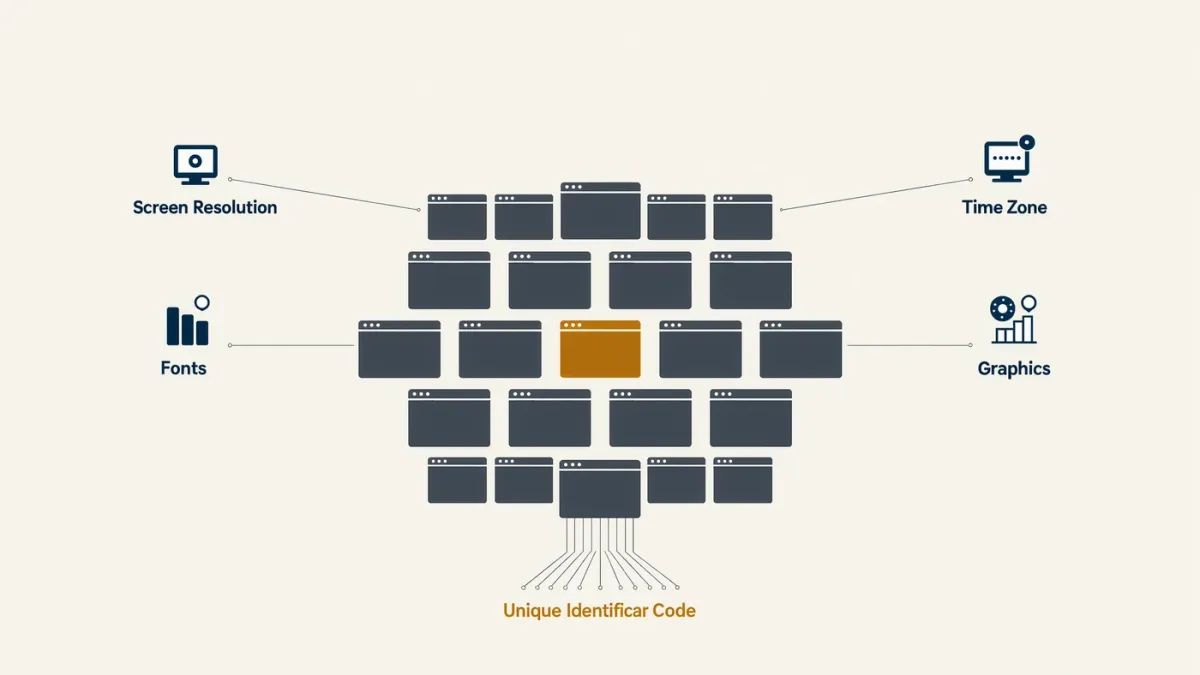

Cross-site tracking works through three documented layers — cookies (small files sites store in your browser), tracking pixels (invisible images that report your visit to third parties), and fingerprinting (identifying your browser by its unique configuration of fonts, settings, and hardware) — and the consent banners mandated by laws like Europe's GDPR and California's CCPA exist to govern the first layer most visibly while the others operate with less ceremony. The result worth understanding: the profile assembled about you across sites is a documented commercial product, sold and joined through the advertising infrastructure regulatory filings and reporting have repeatedly detailed — and the controls that actually limit it differ from the ones the banners offer.
Mechanics below follow published technical documentation and consumer-protection guidance, including the FTC's materials on cross-device and cross-site tracking.
How do cookies actually track you?
First-party cookies are set by the site you're visiting — the legitimate machinery of logins and carts. The tracking problem is third-party cookies: set by a domain other than the one in your address bar, historically the ad networks embedded across millions of sites, so that the same third party observes you everywhere it appears and accumulates the cross-site history — visited a travel site, saw shoes, now shoes follow you. That third-party layer is what browsers have spent years restricting: Apple's full blocking in its browsers, Chrome's multi-year deprecation saga, and the privacy-preserving advertising proposals that followed, all documented in the platforms' own announcements — with the honest caveat that the advertising ecosystem's alternatives, and fingerprinting, grew exactly in the space those restrictions opened.
What are pixels and fingerprinting?
The less banner-governed layers. Tracking pixels: a tiny image loaded from an ad company's server inside a page or email; loading it reports your visit, IP, and identifiers to that server — the mechanism behind email open tracking and social share buttons that know you've arrived. Fingerprinting: instead of storing anything (which you can block or clear), measuring your browser's distinctive configuration — fonts, screen, settings, hardware quirks — into a fingerprint that follows you without any stored file; the browsers' documentation treats it as the harder problem, since there's nothing to delete. The consent banner mostly covers cookies; your defenses against pixels and fingerprinting are browser-level: tracker-blocking features the major browsers document, and email clients that block remote images by default.
| Layer | What it is | Consent banner? | Your control |
|---|---|---|---|
| First-party cookies | Site's own storage | Sometimes | Clear per site |
| Third-party cookies | Cross-site ad identifiers | Usually | Browser blocks them |
| Tracking pixels | Invisible reporting images | Rarely | Tracker blocking; block remote email images |
| Fingerprinting | Browser-configuration ID | No | Anti-fingerprinting browser settings |
What do the laws actually mandate?
The documented pattern across the GDPR, the CCPA-CPRA regime, and the growing list of jurisdictions with similar rules: sites must obtain consent before setting non-essential tracking, disclose what's collected and with whom, and offer refusal as easily as acceptance — the GDPR's equal-prominence requirement that ended the accept-everything/reject-in-six-clicks era, per regulators' enforcement. Enforcement is real but uneven — European regulators' fines against major platforms are public record, and the FTC has acted against tracking practices including pixels on health sites sending data to ad companies, a case series with particular bite. The practical reading: banners govern cookies and disclosure; they are a compliance surface, not a privacy guarantee, and the companies most aggressive about tracking have the most creative interpretations of what needs consent.
What's the profile and who has it?
The assembled product: demographics, interests, purchase signals, browsing history — joined across sites and devices by the identity brokers and data exchanges whose business regulatory investigations and major-press reporting have documented for a decade, including location-data and broker datasets that identified individuals the sellers promised were anonymous. The advertising ecosystem's own measurement documents the joining: cross-device matching, lookalike audiences, offline purchase attribution. The defensive consequence follows: limiting one site's cookies protects little when your phone's apps, your email opens, and your purchase records are joined elsewhere — which is why meaningful defense is layered, boring, and mostly about reducing identifiers rather than any single switch.
What actually helps?
The documented stack, realistic about limits. Browser choice and settings: mainstream browsers now ship tracker blocking by default; stricter modes and privacy-focused browsers reduce third-party tracking and some fingerprinting, per their documentation. Reject-and-essential-only on banners where you can — the GDPR-made-equal reject button — since defaults shape everything. Email hygiene: remote-image blocking in mail clients, the documented counter to pixel tracking. App scrutiny: permissions, especially location — app-side data flows dwarf web cookies in the broker economy. And the acceptance layer: perfect anonymity is not the goal; shrinking the identifier surface is — each removal makes the profile noisier and the joins more expensive.
FAQ
- Should I click accept on cookie banners? Where refusal is offered equally — the GDPR standard — reject non-essential consent; where it's obstructed, prefer browsers that block third-party cookies anyway, since the banner governs fewer layers than it appears to.
- Do private browsing modes stop tracking? They clear local storage and cookies on close, per browser documentation, but don't hide your IP, stop pixels during the session, or defeat fingerprinting — a session tool, not an identity shield.
- Is my data really being sold? The data-broker economy is extensively documented — regulatory investigations and reporting detail profile sales and cross-device joins — which is why shrinking identifiers across browser, email, and apps matters more than any single privacy toggle.